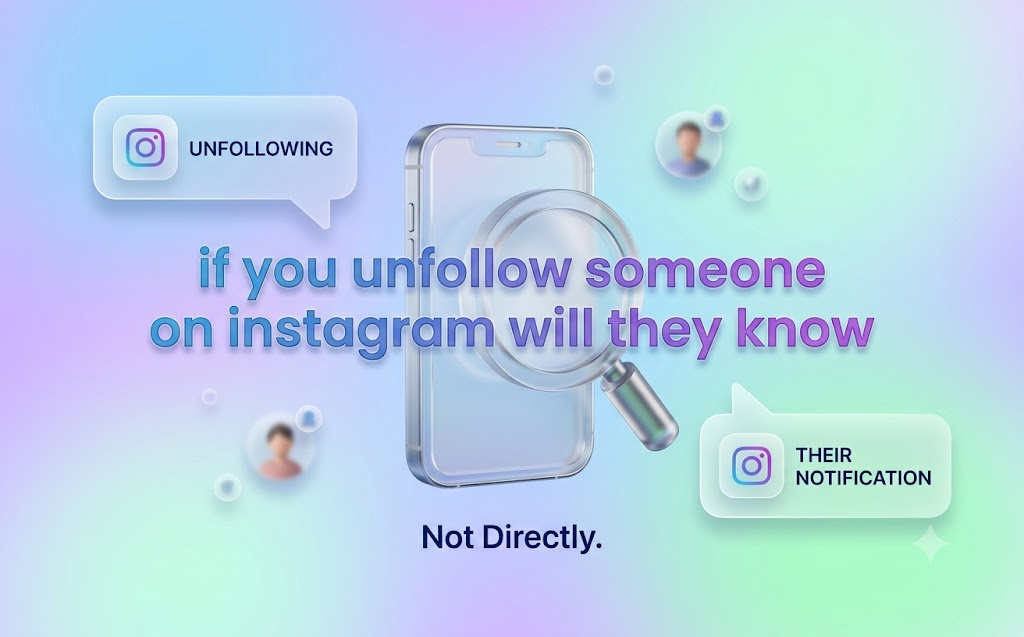
If you’ve ever hovered over that “Following” button wondering whether tapping it will set off some kind of alarm on the other person’s phone, you’re not alone. if you unfollow someone on instagram will they know? The short answer: no, not directly. Instagram does not send a notification, alert, or message of any kind when you unfollow someone. The action happens quietly, on your side only.
But “no direct notification” isn’t the whole story. There are still a handful of indirect ways someone could eventually piece it together, and the chances depend a lot on how closely they pay attention to their own account. This guide breaks down exactly what happens behind the scenes, how detectable an unfollow really is, and how the answer has shifted slightly with newer Instagram features in 2026.
The Direct Answer: No, Instagram Doesn’t Notify Anyone
Let’s get the core question out of the way first, since it’s the whole reason you’re here.
When you unfollow someone on Instagram, the platform does not:
- Send them a push notification
- Send them an in-app alert
- Send them an email
- Flag the action anywhere on their account
Instagram treats unfollowing as a private, one-sided action. This is different from following someone, which does trigger a notification on the other person’s end. The asymmetry is intentional — Instagram’s notification system is built to highlight growth (new followers, likes, comments) and stay quiet about loss (unfollows, removed likes, deleted comments).
So if your main worry is “will they get a notification the second I unfollow them,” you can relax. That part of the if you unfollow someone on Instagram will they know question has a clean, simple answer: no.
What Actually Happens When You Unfollow Someone
Even though there’s no alert, the unfollow does change a few visible things — just not in a way that pings the other person directly.
Here’s what shifts the moment you unfollow:
- Your feed – Their posts and Reels stop showing up in your home feed
- Your Stories tray – Their Story no longer appears at the top of your screen
- Your following count – Drops by one on your profile
- The follow button – Visiting their profile now shows “Follow” instead of “Following”
- Their follower count – Drops by one, visible only if they check
- Their followers list – Your username quietly disappears from it
What does not change:
- Your old likes and comments on their posts stay exactly where they are unless you delete them yourself
- Any direct messages between you remain in both inboxes
- If your account is public, they can still see your posts whether you follow them or not
- If they were following you, that relationship is untouched — unfollowing them doesn’t unfollow you
This is a key point many people miss: unfollowing is a one-way action. It only affects what shows up in your feed. It does nothing to their access to your content unless your account is private.

Unfollow vs. Mute vs. Restrict vs. Block: What’s the Difference?
People often reach for “unfollow” when what they actually want is something more subtle, or sometimes something more drastic. Here’s how the four options actually compare:
| Action | Notifies Them? | They Can See Your Posts? | They Can DM You? | Removes Them From Your Followers List |
|---|---|---|---|---|
| Unfollow | No | Yes (if public) | Yes | No (only removes from your following) |
| Mute | No | Yes — nothing changes for them | Yes | No, and you still follow them |
| Restrict | No | Yes, but their comments are only visible to them | Messages go to requests | No |
| Block | No | No, profile becomes invisible to them | No | Yes |
A few practical takeaways from this table:
- Mute is the most invisible option of all. You keep following them, so nothing on their end changes at all — it just cleans up your own feed.
- Restrict is built for tension you want to defuse quietly. The other person keeps interacting normally, but their comments and messages get quarantined without them realizing it.
- Block is the only option that actually removes their ability to see your profile entirely.
- Unfollow sits right in the middle — visible to a curious person who checks, invisible to anyone who doesn’t.
If you’re asking yourself if you unfollow someone on Instagram will they know, but your real goal is “I don’t want any chance of them noticing,” mute might actually serve you better than unfollow. riproar, lcfmodgeeks, uhoebeans, aliensync.

How Likely Is It That They’ll Actually Notice?
This is where most articles get vague, so let’s get specific. Whether someone notices you unfollowed them really comes down to two things: how many people they follow/are followed by, and how closely they pay attention.
Low detection likelihood:
- They have a large follower count (thousands+)
- You rarely interact with their posts
- They don’t use any third-party tracking tools
- You weren’t a “close” connection (not a partner, best friend, or daily-interaction contact)
Medium detection likelihood:
- They have a moderate following (a few hundred people)
- They occasionally glance at their follower count
- You’ve interacted with their content somewhat regularly
High detection likelihood:
- They have a small, tight-knit follower list (under 100-200)
- They check their followers list manually on occasion
- You’re someone they’d specifically notice missing — a partner, close friend, or family member
- They use a follower-tracking app
The honest truth: for the average person with a few hundred followers, an unfollow from someone they don’t interact with daily is very unlikely to register. The closer the relationship and the smaller the account, the higher the odds it gets noticed.
The Ways Someone Could Still Figure It Out
Even without a notification, a few paths exist for someone to discover an unfollow:
- Manually checking their followers list. If they search your username and it’s not there anymore, that’s a clear signal.
- Noticing their follower count dropped. This only tells them someone unfollowed — not necessarily you — unless they’re tracking closely.
- Visiting your profile and seeing “Follow” instead of “Following.” If you used to follow each other and now don’t, the button gives it away instantly.
- Using a third-party unfollower-tracking app. These apps compare snapshots of a follower list over time and flag who’s missing.
- An accidental follow-then-unfollow. If you followed someone and then quickly unfollowed them, they may have already received the follow notification on their device before you reversed it — so they could notice the discrepancy.
None of these are automatic. All of them require some effort on the other person’s part.
Are Unfollower-Tracking Apps Actually Safe to Use?
A lot of guides recommend third-party apps for finding out who unfollowed you, but it’s worth pausing here. These apps generally work by comparing your follower list at different points in time and showing you what changed. Some pull this from Instagram’s official API, others scrape your public profile data.
Before installing one, know the tradeoffs:
- Many require your Instagram login credentials, which is a real account security risk
- Instagram’s terms of service restrict automated or unauthorized access to your data, and using certain apps can violate them
- Free versions often run ads or push paid upgrades
- Accuracy varies — if checks only happen periodically, a quick follow-then-unfollow can be missed entirely
A safer, no-app method: manually save a list of your followers (a screenshot works fine), wait a few weeks, then compare it to your current list. It’s slower, but it carries zero security risk and doesn’t violate any platform rules.
Does This Work the Same Way in 2026?
Instagram has added a few features in recent years that are worth addressing directly, since older guides on this topic don’t cover them.
- Notes – Unfollowing someone removes their Note from your inbox view, but it doesn’t notify them either.
- Close Friends – If you had someone on your Close Friends list and then unfollow them, they’re automatically removed from that list. No alert is sent for this either.
- Threads connection – Since Instagram and Threads are linked, unfollowing someone on Instagram does not automatically unfollow them on Threads, and vice versa. The two follow graphs are separate.
- Suggested accounts – Once you unfollow someone, Instagram’s algorithm may start surfacing them again under “Suggested for You,” especially if you have mutual followers.
The bottom line is the same as it’s always been: none of these features add a notification system for unfollows. Instagram’s silent-unfollow policy hasn’t changed, even as the app itself has grown more complex.
Unfollowing in Different Relationships: Does Context Matter?
The mechanics of unfollowing are the same no matter who you unfollow, but the social weight of it varies a lot depending on the relationship.
Unfollowing an ex. This is one of the most common reasons people search this topic. Mechanically, nothing different happens — but emotionally, exes are more likely to notice because they may still check your profile occasionally. If you want to avoid any chance of an awkward conversation, muting first and unfollowing later (after some time has passed) can feel less abrupt.
Unfollowing a coworker. Professional relationships carry their own etiquette. An unfollow rarely causes drama, but if you work closely together, consider whether muting achieves the same goal without changing the visible follow relationship.
Unfollowing a friend or family member. These are the people most likely to notice, simply because they check your profile or theirs more often. If it matters to the relationship, a quick conversation usually resolves more than the unfollow itself ever could.
Unfollowing a creator, influencer, or brand. Almost zero social risk here. Large accounts rarely notice individual unfollows, and there’s no expectation of a personal relationship to manage.
How to Check Who Unfollowed You (Without Risking Your Account)
If you’re more curious about your own unfollowers than worried about someone noticing you, here’s a safe manual method:
- Open your profile and tap your followers list
- Take a screenshot or write down the usernames
- Wait a week or two
- Check your followers list again and compare it to your saved list
- Any username missing from the new list has unfollowed you
It’s not instant, but it avoids handing your login credentials to a third-party app.
Frequently Asked Questions
Does Instagram tell you who unfollowed you?
No. Instagram never directly identifies who unfollowed you. You’d have to notice their absence yourself through your followers list or a manual comparison.
Can you tell if someone unfollowed you without using an app?
Yes. Save a screenshot of your followers list, wait a while, then compare it against your current list to spot who’s missing.
Does unfollowing someone delete your old likes and comments?
No. Your past likes and comments stay visible on their posts unless you go back and remove them yourself.
Does muting someone show up as an unfollow?
No. Muting keeps you following them, and nothing changes on their end at all — it only affects what you see in your own feed.
Will they know if I follow and then quickly unfollow them?
Possibly. Following does send a notification, so if you unfollow right after, they may have already seen the original follow alert before it disappeared.
Does unfollowing someone remove them from my Close Friends list?
Yes. Unfollowing automatically removes that person from your Close Friends list, though no notification is sent for this either.
Is it against Instagram’s rules to use a follower-tracking app?
Some of these apps violate Instagram’s terms of service, particularly ones that ask for your login credentials or scrape data without authorization. Manual tracking is the safest alternative.
Can someone still see my posts after I unfollow them?
Yes, if your account is public. Unfollowing only affects your feed — it doesn’t restrict their access to your content unless your account is private.
Final Thoughts
So, if you unfollow someone on Instagram, will they know? Not directly — and for most people, not at all unless they’re actively paying attention. Instagram is built to keep unfollows quiet, and that silence holds steady across nearly every situation, from exes to coworkers to creators you’ve simply lost interest in. The only real exceptions come down to how closely the other person watches their own account, not anything Instagram does to expose you.
If avoiding detection entirely is your goal, muting is the safer move. If you’re fine with the small chance someone eventually notices, unfollowing works exactly the way you’d expect: quiet, one-sided, and very unlikely to cause the kind of confrontation people often worry about.
